NewDelhi: Ministry of Home Affairs’ Indian Cyber Crime Coordination Centre issued an urgent advisory against malicious pornographic Android apps leading to financial scams. Its National Cybercrime Threat Analytics Unit (NCTAU) has recently observed a rise in cyber frauds committed by malicious applications masquerading as pornography apps.
These applications are usually circulated through social media platforms such as Instagram and Facebook in the form of ads under the names “Night Play”, “Reloop”, “Kyss”, “Vimo”, “Rivo”, “Nexo”, “Vixa” and others.
The fraud operates in the following steps:
— The application is circulated through pornographic content related ads on social media applications, including Instagram and Facebook. These advertisements take users to phishing websites which function under the guise of pornographic websites.
— The websites serving the pornographic content usually have a ‘.live’ domain. These websites persuade users to download and install the APK from sources other than the Google Play Store.
— Once downloaded, this application downloads another app on the pretext of an update.
— The application then asks for accessibility permission. Once it is granted, the app abuses the permission and starts controlling the device while running in the background.
— Some of these applications download a VPN which directs all internet traffic to the scammers’ servers, thus exposing it to misuse and fraud. The user’s data can be used for financial frauds and other cybercrime-related activities.
Users may be unable to uninstall these applications. As the advisory mentions, “The app may prevent users from uninstalling it through the device settings.” Thus, users are suggested two methods to uninstall the application.
METHOD 1: Press and hold the power button until the ‘safe mode’ option appears. Restart the device in safe mode. When the phone restarts, ‘safe mode’ will appear at the bottom of the screen. Then go to Settings, open the suspicious application and uninstall it. Uninstall any other unknown application which seems harmful. Restart the phone again to exit safe mode.
METHOD 2: Open Settings and go to Default apps, then choose Home app. Select your phone’s original launcher (such as System Launcher, One UI Home, Pixel Launcher, etc.). Again, go to Settings and tap Accessibility. Search for the suspicious application among the downloaded apps and turn its accessibility permission off. Then go to Security or Security & privacy in the Settings and open Device Admin Apps or Device Administrators. Select the malicious application and deactivate it.
Users may verify whether the suspicious app has been removed. Go to Settings – Apps – Check whether the app has been uninstalled. If it is not possible to remove the app, then back up the important data and perform a Factory Reset.
NCTAU urges users to take precautions to protect themselves from fraudulent online activities and losing their money.
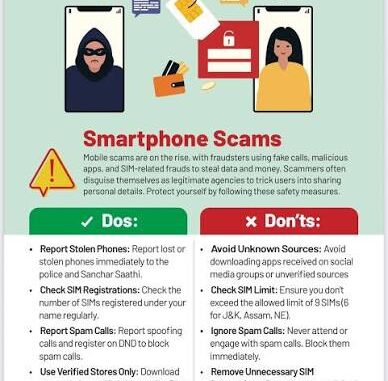
— Users must use the Google Play Store or other trusted apps to install any application.
— Users are advised against installing APK files through advertisements, websites and suspicious links.
— Accessibility permission should not be given to any unknown application.
— Go through the installed applications on your device and uninstall any unknown app.
— Keep the Android version updated and Google Play Protect enabled.
— Keep checking your bank account and UPI transactions regularly.
Bureau Report
Leave a Reply